Overview
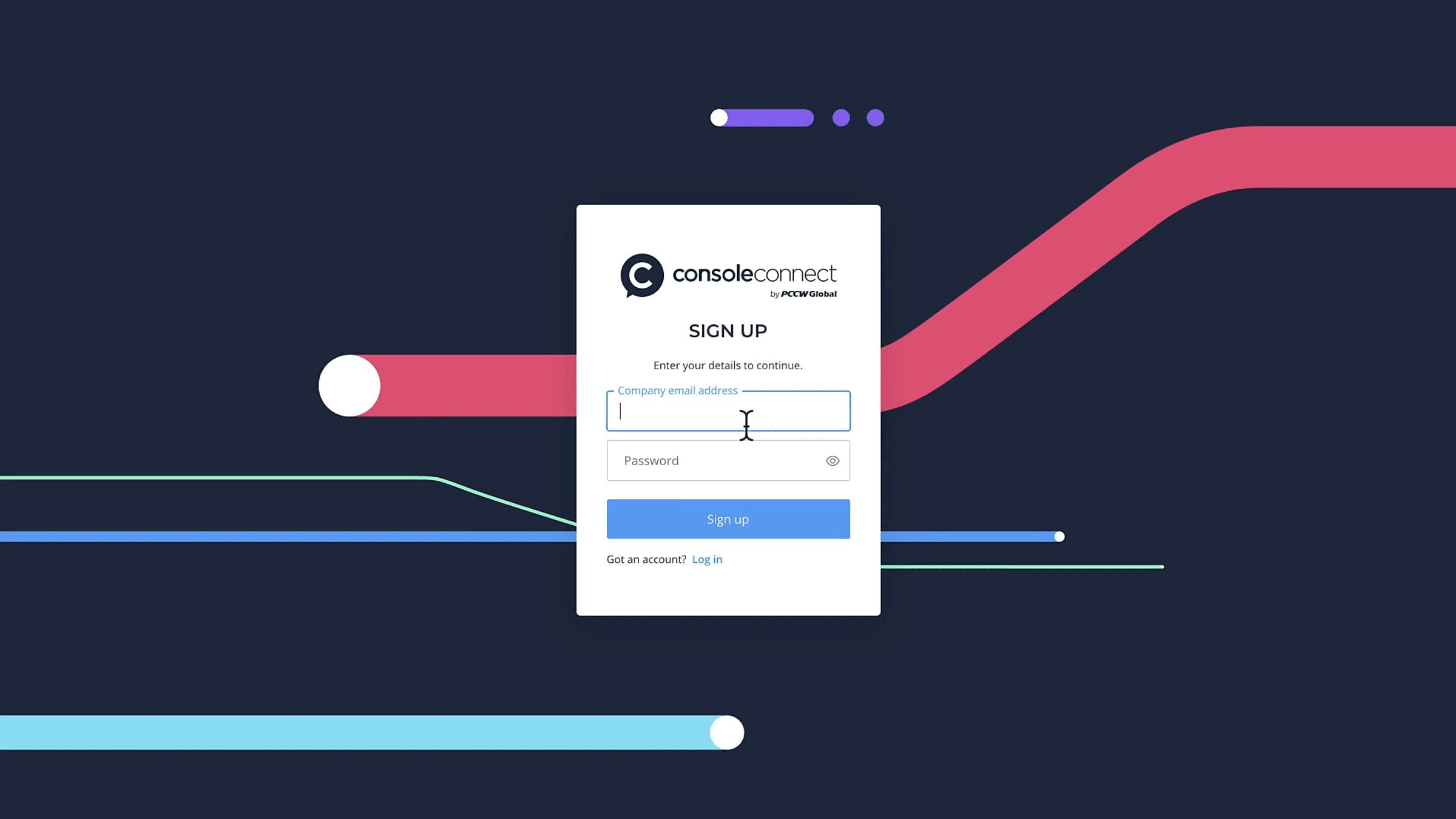
Getting started with Console Connect is simple. Once you have signed up, you will receive an email to verify your email address.
Next, set up a password and complete a couple of details about you, and then you can register or join your company on the Console Connect platform.
If you register your company on Console Connect, you will be the Account Administrator. Your company will need to be verified before you can order services.
If you join a company that is already registered on Console Connect, contact your Account Administrator for them to assign you with the appropriate roles and permissions.
From sign up to service-ready

Video: Sign up, create your account
Complete your profile
Once you click on the Complete sign up button in the verification email, we will need your full name and job title to complete setting up your account.
If you have a profile picture on hand, now is a great time to add it.
You can update your personal details and profile information at any time from the Settings menu.
Register your company
To ensure that the Console Connect platform remains trusted and secure, we require information about your company, most notably the business registration certificate.
What is a business registration certificate?
A business registration certificate is proof of your company’s registration as a legal entity. Business registration documents may be known by different names in different countries and jurisdictions. You should be able to obtain a copy from within your company. If not, you may need to request a copy from the appropriate government website.
Need help? Please contact [email protected].
Why do I need to provide my business registration certificate?
Building a trusted community is important to us. Providing details of your business registration helps us ensure the integrity and security of the platform, so that you can connect with confidence.
What are acceptable file formats when submitting a business registration?
PDF is the accepted file format.
What is my company type?
Company type is used to determine enterprise and wholesale partners on the platform.
Unless you have a wholesale agreement with us, choose Enterprise or XaaS (anything as a service including SaaS, PaaS, UCaaS etc).
If your company will be providing wholesale services on Console Connect then select one the following categories: Cloud, Data centre, Internet exchange, Service provider or XaaS.
Wholesale partner types:
Cloud: are companies who offer their own private or public clouds for customers such as Amazon Web Services.
Data centre: for companies operating data centres.
Internet exchange: for internet exchange operators.
Service providers: include global/regional carriers, mobile carriers, ISPs (Internet Service Provider) or channel partners.
If you are unsure, please select Enterprise. When we verify your company we’ll work with you to select the best category.
Company verification
Once we have checked that your company is legitimate, you will receive an email from us letting you know that your company has been verified.
Why do we verify companies and what is the process?
The company verification process exists because we take the integrity of our growing ecosystem very seriously.
Internally, our support staff will do a visual check of your certificate to confirm that it is correct. We may also contact you to confirm some details.
Once we have checked that your company is legitimate, you will receive an email from us letting you know that your company is now verified. This typically takes 72 hours. Please note that times may vary depending on the information provided.
Please get in touch with [email protected] if you have questions about your request.
What can I do while my company is being verified?
We recommend setting up your team members in Console Connect.
How long will verification take?
Our goal is three business days (approx. 72 hours) but each case may be different depending on the information provided.
If you have any concerns please get in touch with us about your request.
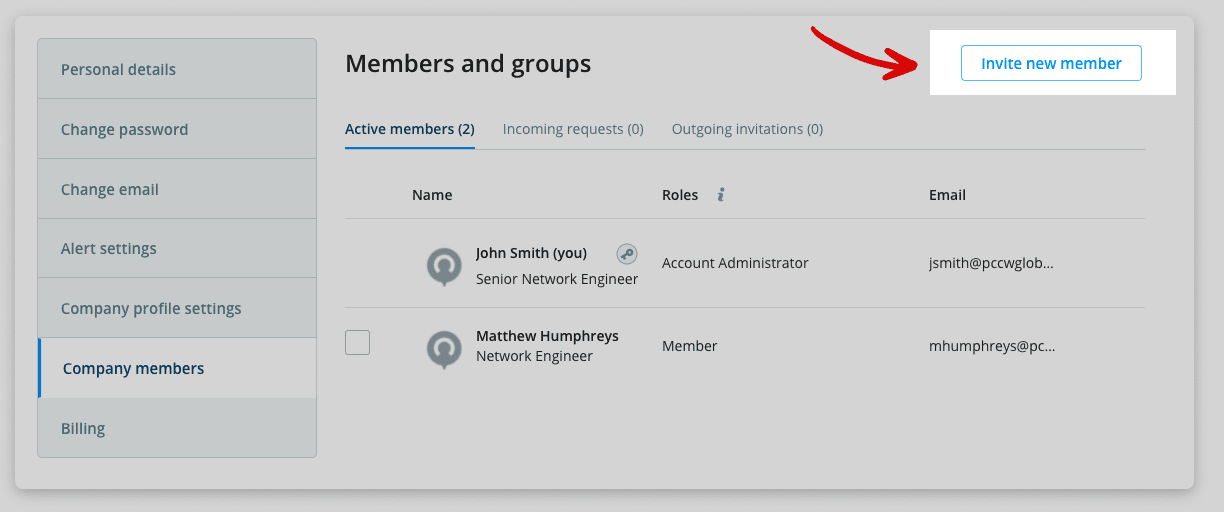
Add a team member
Whilst your company is being verified we recommend setting up your first team member or members. If you don’t have anyone else right now, you can do this at a later time.
Go to Settings > Members and permissions > Invite new member
Get ready to connect
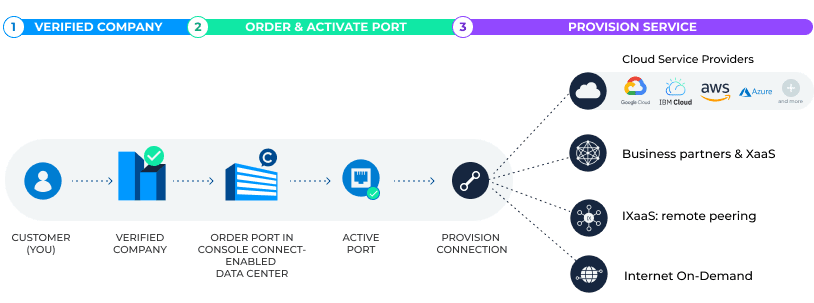
To access Console Connect connectivity services, you need to be in a Console Connect enabled data centre. There are over 1,100 locations in more than 60 countries.
Order a Console Connect port in your data centre. You’ll need to arrange a cross-connect with your data centre (we’ll provide the LOA).
As soon as your port is active, you can start ordering connectivity services.
Ports
Ordering a port is simple. However, there is one important step we require beforehand: you will need to arrange a cross-connect with your data centre including providing the Letter of Authorisation (LOA) to the specified data centre.
As soon as your port is active, you can start ordering services.
See full instructions here: Ordering a port
Where to next?

Learn more about managing your company and assigning roles and permissions to your company members.

Learn more about provisioning Layer 2 connections, Internet On-Demand and more…