Internet On-Demand (IO-D)
Console Connect’s Internet On-Demand allows you to extend business-class internet connectivity to your existing sites on the Console Connect platform.
The service provides access to our high-quality connectivity which is delivered via a Tier 1 IP network (AS3491) ranked in the top 10 globally. Our IP network has high-quality peering with global and regional carriers, ISPs and Internet Exchange Points, which means it offers enhanced performance and lower levels of latency.
The IP network also offers high-quality peering with cloud and content providers, which means it provides reliable access to all your important applications and cloud workloads that have public IP addresses.
Using the Console Connect web portal, you can price, provision, pay and manage your internet connectivity in real-time.
How do I create an IO-D service?
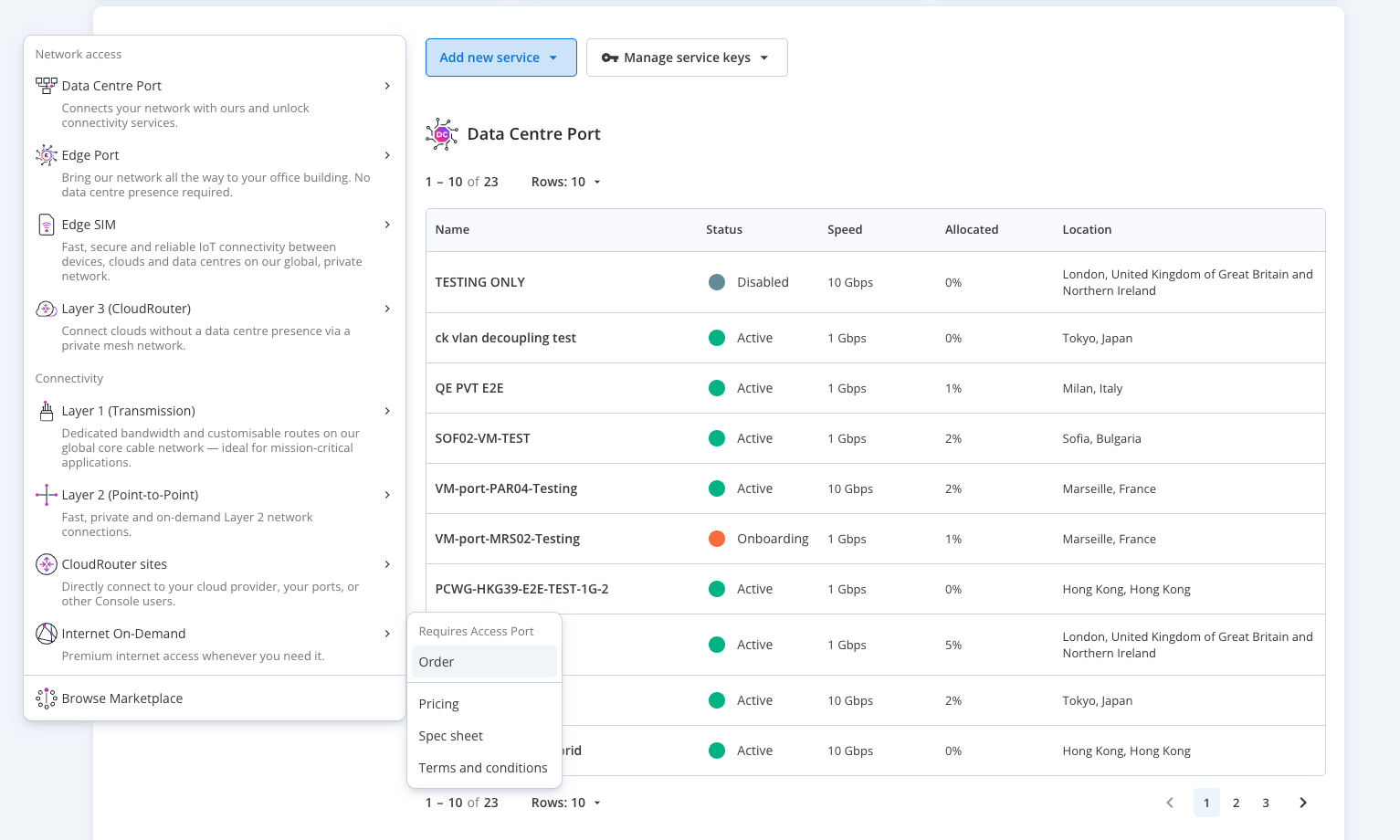
- From the Dashboard select Add new service, hover on Internet On-Demand and then click Order.
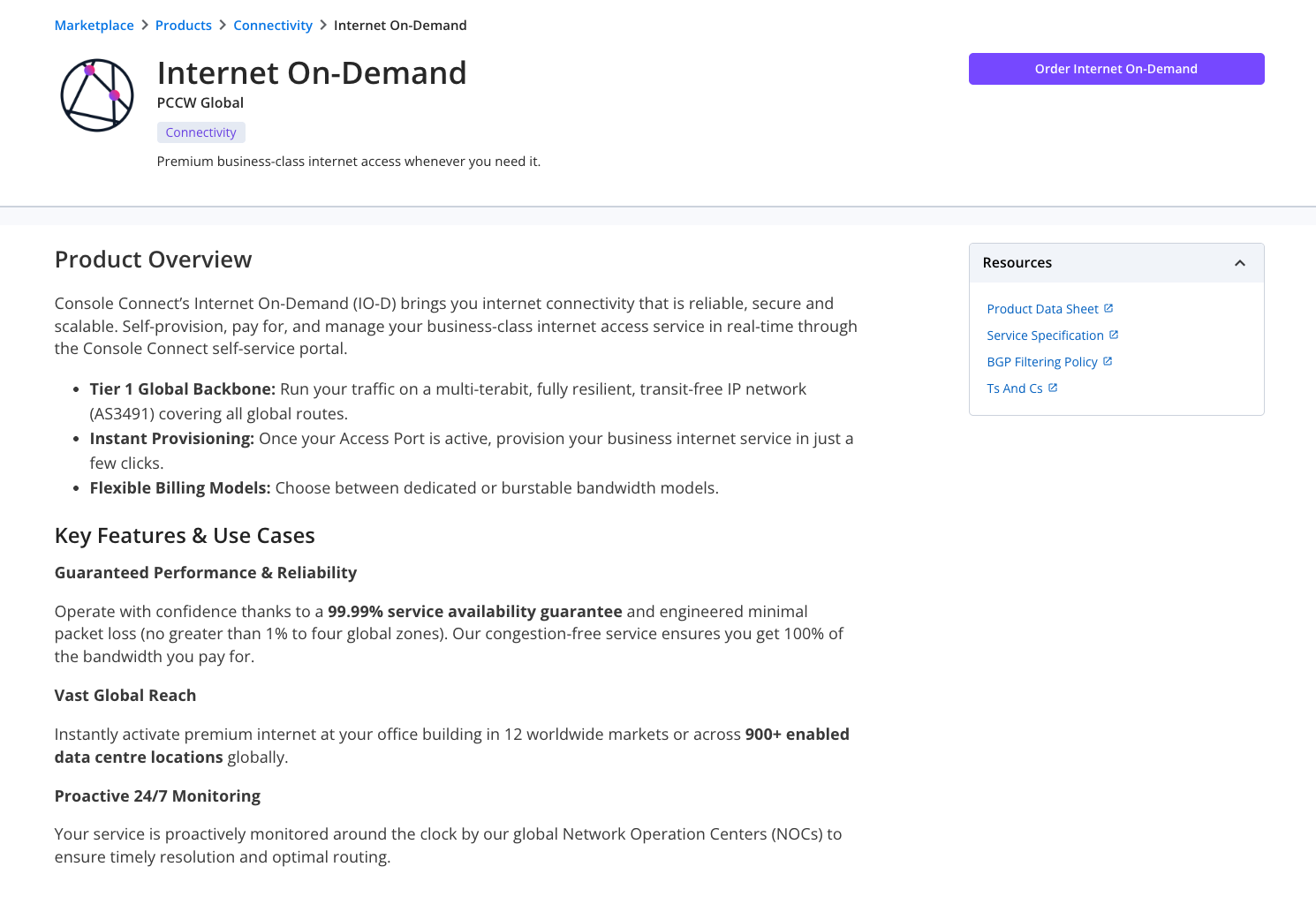
- On the Internet On-Demand product page, select the Order button.
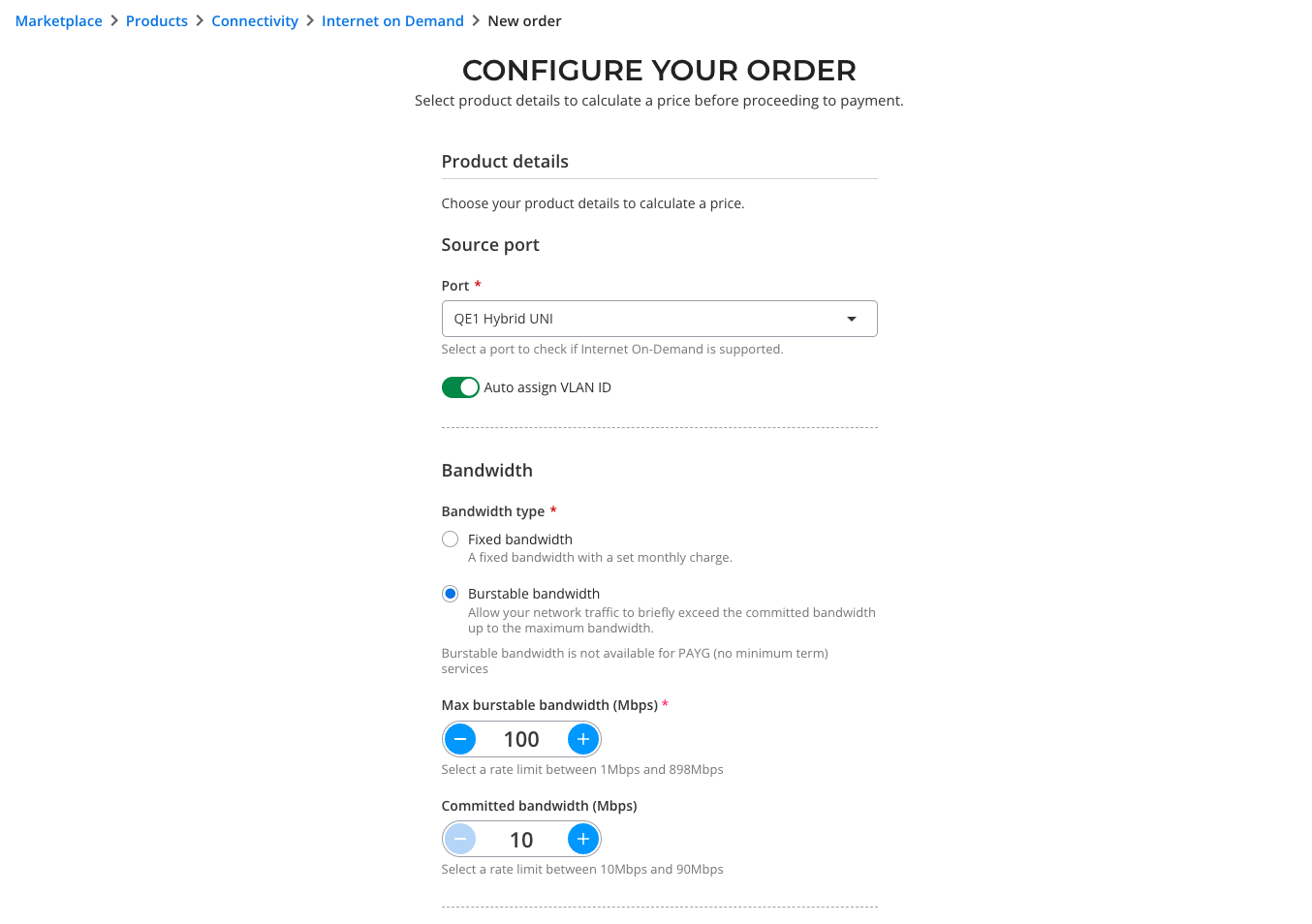
- You will then be taken to the Order configuration screen.
- Select your Source port from the dropdown menu. You can choose your own VLAN from an available range or have Console Connect assign your VLAN automatically.
- Select your Bandwidth type, between fixed bandwidth or burstable bandwidth.
- Select your Fixed bandwidth from 1 Mbps up to the total remaining capacity on your port.
- If you’ve enabled Burstable bandwidth, select your Max burstable bandwidth. Refer to the Burstable billing section to understand fixed and burst bandwidth limits.
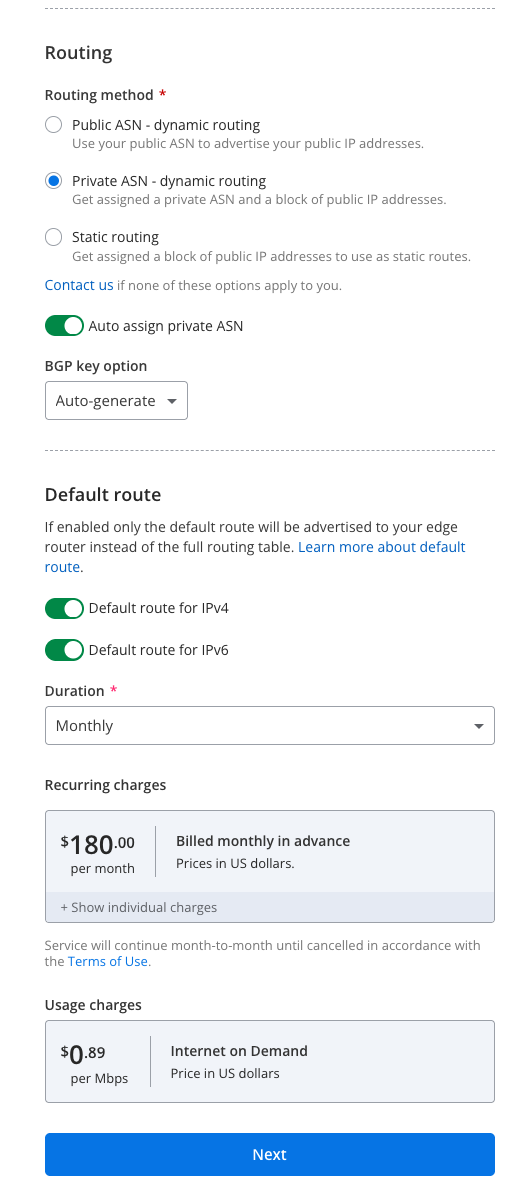
- In the Routing section, choose between Public ASN – dynamic routing, Private ASN – dynamic routing and Static routing or contact us for assistance if these options do not apply to you.
- If you have chosen Private ASN – dynamic routing, choose whether you would like Console Connect to auto-assign you a Private ASN.
- Choose whether you require Console Connect to Auto-assign you a BGP authentication key, whether you will do it manually or not at all.
- Choose to enable or disable Default route for IPv4 and IPv6
- Choose your contract duration. Please note for burstable bandwidth, there is a one month minimum contract length.
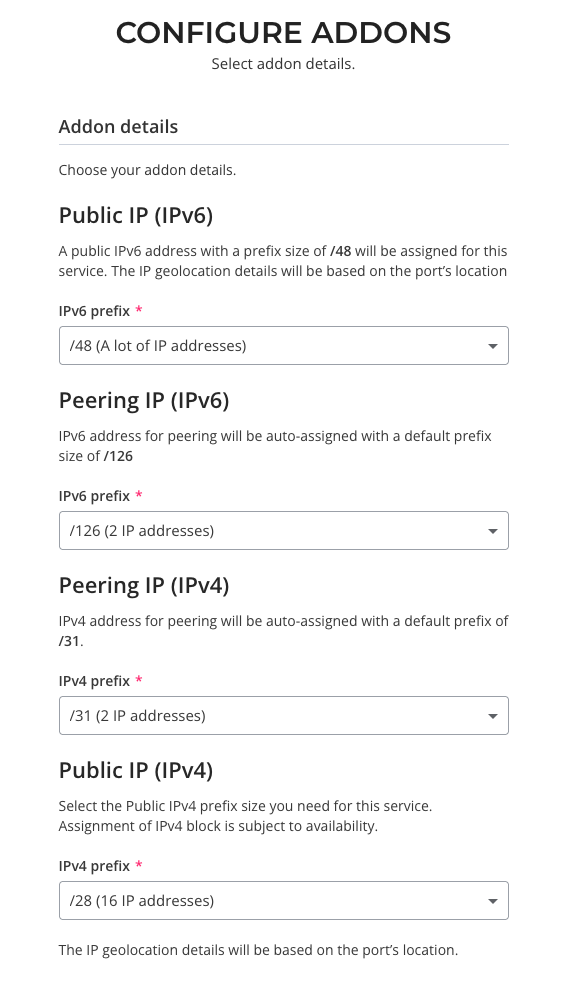
- Next you will be taken to the Configure Addons menu, where you are able to assign the size of your public IP block. Different packages will be displayed here. Please note that the assignment of IPv4 addresses is subject to availability.
- Once all parameters are entered a price of your base service and burstable bandwidth (if enabled) will be displayed.
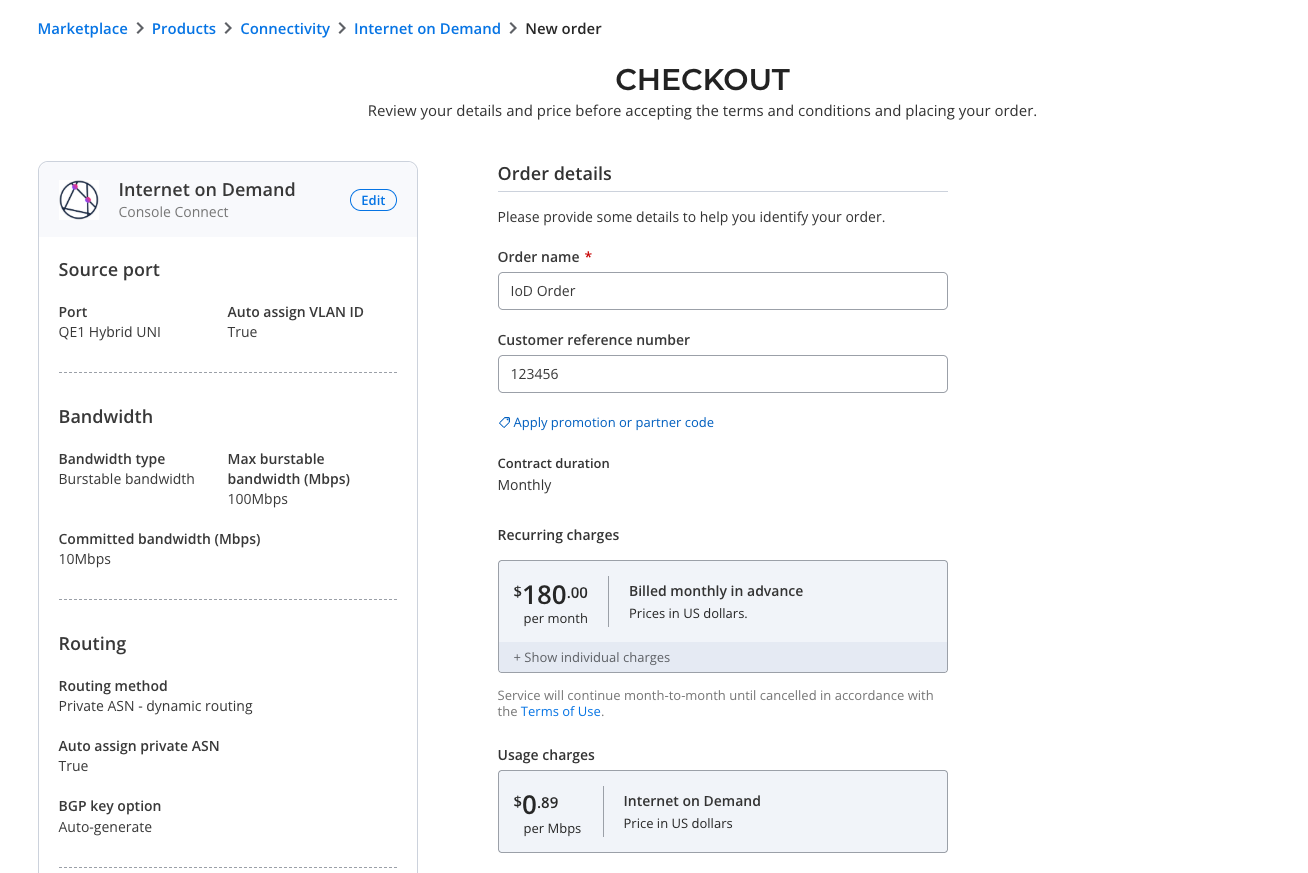
- Click Checkout and then check and confirm the details of your service.
- Enter an Order name and an optional Customer reference number.
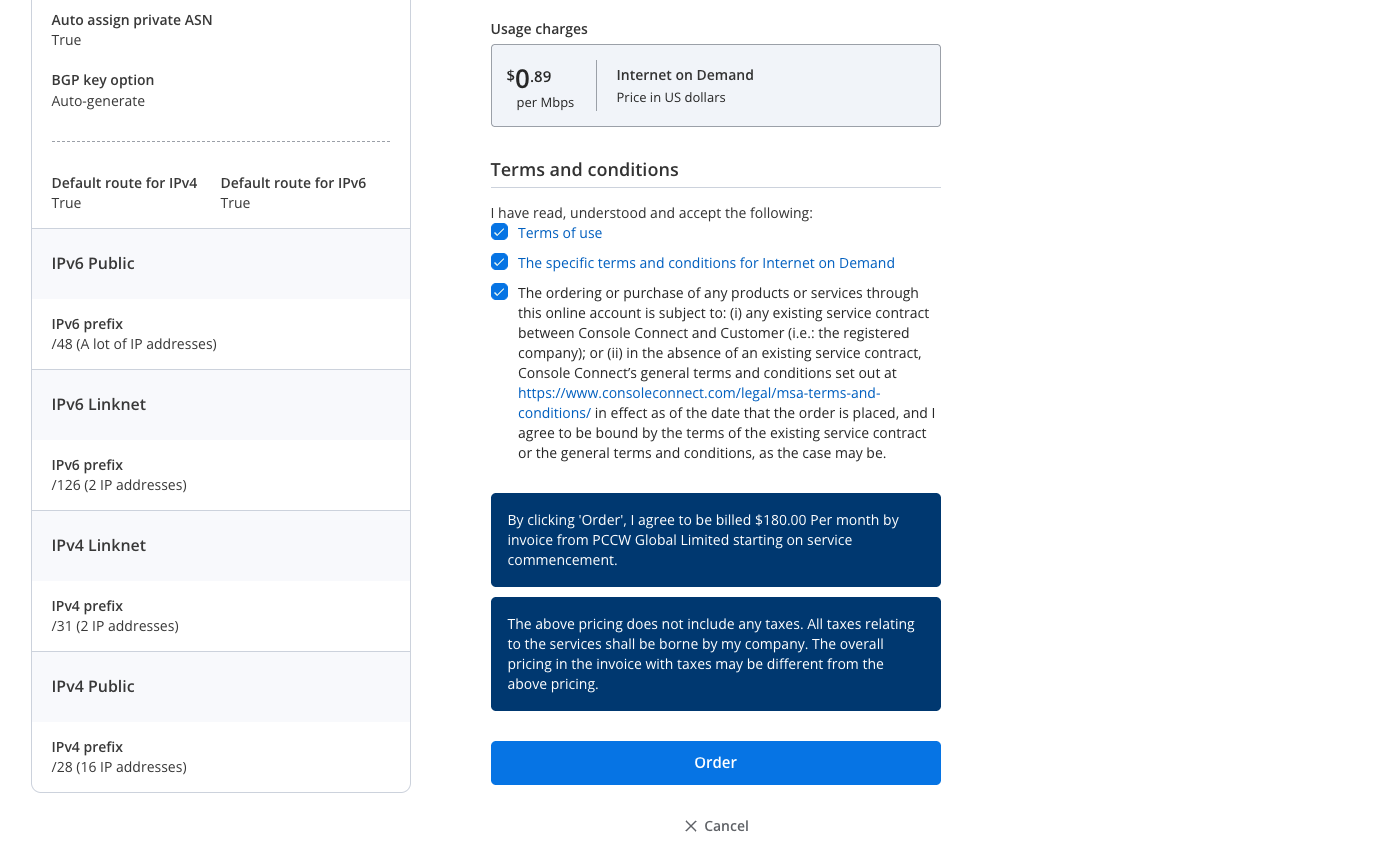
- Accept the Terms and conditions and click on Order.
Can I create an IO-D service using a private ASN?
Yes if you don’t have a public ASN.
Burstable billing
What is burstable billing?
Burstable billing is a method of measuring bandwidth based on peak use. It also allows usage to exceed a specified threshold for brief periods of time without the financial penalty of purchasing a higher Fixed Bandwidth, or Committed Data Rate (CDR). Console Connect currently offers a 95th percentile burstable billing calculation.
Please note that the Burstable Bandwidth limit is dependent on your fixed bandwidth, which must be 10% or greater than your burst limit (i.e. a burstable service up to 1 Gbps requires a minimum fixed bandwidth of 100Mbps).
What is the 95th percentile?
The 95th percentile is a widely used mathematical calculation to evaluate the regular and sustained use of a network connection.
Bandwidth is measured from the switch or router and recorded in a log file. At the end of the month, the samples are sorted from highest to lowest, and the top 5% (which is equal to approximately 36 hours of a 30-day billing cycle) of data is thrown away. The next highest measurement becomes the billable use for the entire month.
Based on this model, the top 36 hours (top 5% of 720 hours) of peak traffic is not taken into account when billed for an entire month. Bandwidth could be used at a higher rate for up to 72 minutes a day with no financial penalty.
How and when will I be charged?
Charges for the committed data rate will be invoiced on the first day of each month. Burstable billing charges will be invoiced monthly in arrears.
IO-D routing
Customer IP prefix policy
Customers with their own IP address ranges are subject to the PCCW Global customer IP prefix policy, which requires that AS-SET and route objects are created in approved IRR databases for all downstream customers with their own IP address assignments. The policy also recommends the use of RPKI ROAs.
Read the Customer IP prefix policy.
What if I have my own ASN and my prefixes are registered in an IRR?
Once your order is received and provisioned, it may take up to an hour for your prefixes to appear in our systems. This will depend largely on when you registered your route object(s) in the approved IRR database(s). Note that you must advertise a /24 subnet or larger.
How do I update my ASN or AS-SET?
Adding or updating ASN or AS-SET is only supported by the backend.
To add or update ASN or AS-SET, contact [email protected].
IO-D value-added services
Looking Glass
A web-based Looking Glass site is available for potential customers who want to examine the PCCW Global IP Network (AS3491) and its performance to and from the internet.
The site is equipped with tools that enable customers to perform “ping” or “traceroute” from:
- Any AS3491 PoP to another AS3491 PoP.
- Any AS3491 PoP to any internet destination in the form of an IP address or domain name.
DNS Resolvers
PCCW Global maintains the following distributed name servers for customers to perform domain name resolution.
Note: PCCW Global name servers are deployed by region, not by country, and may not comply with the legal restrictions of individual jurisdictions or countries within a region. For this reason, the most common setup is to use country-based open resolvers like Google’s 8.8.8.8/8.8.4.4 or Cloudflare’s 1.1.1.1/1.0.0.1. A more complete listing of open resolvers can be found here.
Asia (IPv4)
63.218.60.5/32
63.218.60.6/32
Americas (IPv4)
63.216.0.5/32
63.216.0.6/32
Europe (IPv4):
63.218.12.5/32
63.218.12.6/32
All regions (IPv6)
2400:8800:1e80::2/128
Oblivious DNS Over HTTPS
Traditionally, DNS lookups are sent to resolvers in plain text, which can leave end users vulnerable to eavesdropping and person-in-the-middle attacks. DNS-over-HTTPS (DoH), addresses this issue by sending lookups over an encrypted HTTPS connection between the end host (stub resolver) and the recursive resolver. Using DoH improves privacy by preventing your queries being seen by someone lurking on public WiFi or personal information related to your browsing behaviour being gathered and/or sold.
Oblivious DNS over HTTPS (ODoH) is a new proposed standard that separates user IP addresses from queries so that no single entity can see both at the same time, as illustrated below.
Setup
Configure your web browser to use DoH using the following instructions:
Microsoft Edge
On the edge://settings/privacy page, select Use secure DNS to specify how to lookup the network address for websites.
Google Chrome
Select Use secure DNS on the chrome://settings/security page.
Firefox
Follow the instructions provided here.
Questions
Here are the answers Mozilla gave to some frequently asked questions about DoH.
Contract duration
Console Connect offers multiple contract durations to best suit your connectivity needs. Learn more here.